
| 일 | 월 | 화 | 수 | 목 | 금 | 토 |
|---|---|---|---|---|---|---|
| 1 | 2 | 3 | 4 | 5 | 6 | |
| 7 | 8 | 9 | 10 | 11 | 12 | 13 |
| 14 | 15 | 16 | 17 | 18 | 19 | 20 |
| 21 | 22 | 23 | 24 | 25 | 26 | 27 |
| 28 | 29 | 30 |
- AISkills
- AI workplace
- ai에이전트
- promptengineering
- AICreativity
- aiproductivity
- workplaceAI
- FutureofWork
- notebooklm
- HRAutomation
- CitizenDeveloper
- chatGPT활용법
- CreativeThinking
- claudeai
- GenerativeAI
- 직장인ai활용
- 엑셀VBA자동화
- Anthropic
- vibecoding
- 업무자동화
- ChatGPT
- HRTECH
- productivity
- NonDeveloperCoding
- 클로드코드
- WorkplaceWellness
- 직장인ai
- AIAdoption
- WorkplaceAutomation
- claudecode
- Today
- Total
GoodTechAI
A Soccer Club Treasurer With Zero Coding Skills Built a Management App 본문
A Soccer Club Treasurer With Zero Coding Skills Built a Management App
GoodTechAdviser 2026. 3. 28. 22:10
Every Saturday morning, after the game ends, my work begins.
I open OneNote to check attendance. I record who scored. I organize the quarter-by-quarter scores.
Checking 30+ member names one by one. Twenty minutes per game, for 15 years straight.
I work in HR at a manufacturing company in Korea — 18 years and counting. I have never written code in my life. Yet today, I run a fully functional management web app for our 30-member company soccer club.
Match recording time dropped from 30 minutes to 5. Server cost: $0.
Here is how it happened, in five honest phases.
Table of Contents
1. 15 Years of Manual Record-Keeping2. Choosing the Right Tools: Claude Code + Google Apps Script
3. The 5-Phase Evolution
4. Before and After: The Numbers
5. 3 Reasons a Non-Developer Could Build This
6. FAQ
15 Years of Manual Record-Keeping

I have been the treasurer of our company soccer club, "Igeon United," for 15 years. Managing attendance, match results, and individual stats for 30+ members is my responsibility.
The old process: record attendance in OneNote on game day, transfer to Notion to share with members, then at year-end enter everything into Excel to manually calculate statistics — attendance rates, goals, assists, win percentages.
Three problems made this unsustainable.
First, time. Over 20 minutes per match, from attendance to record finalization. You come to play soccer, but after the game, the work starts.
Second, accuracy. When you manually check 30 names, mistakes happen. "Hey, I was there last week but my attendance wasn't recorded" — hearing that at year-end is a stress only a treasurer knows.
Third, immediacy. Right after a match, members want to know: "How many goals have I scored this year?" But that answer required waiting until the year-end Excel crunch was done.
Choosing the Right Tools: Claude Code + Google Apps Script

Outsourcing a custom app meant costs that did not make sense for a hobby club. Monthly server fees were out of the question — club dues should not go to infrastructure.
Two conditions: $0/month server cost and works on smartphones immediately.
The combination I chose: Claude Code and Google Apps Script.
| Claude Code | Google Apps Script | |
| Role | AI coding assistant — writes, debugs, refactors | Backend + DB — syncs with Google Sheets |
| Cost | ~$17/month (Claude Pro) | Completely free |
| Strength | Non-developers can code via natural language | No server needed; Sheets acts as DB |
| Limitation | Occasionally generates incorrect code | Only supports ES5 (older JavaScript) |
Andrej Karpathy (former OpenAI researcher) calls this approach "vibe coding" — describe what you want in natural language, and AI handles the implementation.
That is exactly how I started. "Build me a screen where I can check attendance."
The 5-Phase Evolution — Because Nothing Is Perfect on Day One

I never planned to build a finished app on the first try. My principle was "get it working first, fix it while using it." The app evolved across five phases.
Phase 1: Foundation — Designed 5 tabs in Google Sheets (match info, attendance, quarter records, player master, opponent master) and built a single-page application skeleton with 3 tabs: dashboard, player profile, and match data. I told Claude Code, "Read this sheet data and show it in a web app," and got a working CRUD app.
Phase 2: UX Improvements (7 items) — Using it myself revealed friction everywhere. Names were unsorted, so I asked for alphabetical ordering. Loading was slow, so I requested a loading indicator. The goal-entry modal was clunky, so I asked for a UX overhaul. One fix at a time.
Phase 3: Bug Fixes (3 items) — This was the painful part. Saving quarter data simultaneously caused data corruption. Claude Code suggested a "Sequential Callback Chain" pattern — a fancy name for "save one thing at a time, in order." Applied it, and the data stopped breaking.
Phase 4: Stabilization (5 items) — Duplicate match prevention, mobile Safari bug fixes, caching implementation. By this point, the app ran reliably.
Phase 5: Member Feedback (14 items) — The most rewarding phase. I showed the app to club members and collected feedback. 14 improvement requests poured in.
| Area | Items | Key Changes |
| Bugs/Stability | 2 | Empty row prevention, mobile toast fix |
| Global UI | 2 | Font size +1pt, step labels localized |
| Authentication | 1 | Added 4-digit password option |
| Match Data | 2 | Attendance UI redesign (3-column card grid), match deletion |
| Dashboard | 5 | All-matches toggle, opponent win-rate, monthly stats modal, expanded rankings |
| Player Profile | 2 | Visible back button, player bio section |
I could implement all 14 at once because I told Claude Code, "Implement these 14 items in priority order, one at a time." My job was to review the screen and give feedback: "Make this part bigger," "Match the color tone."
Before and After: The Numbers
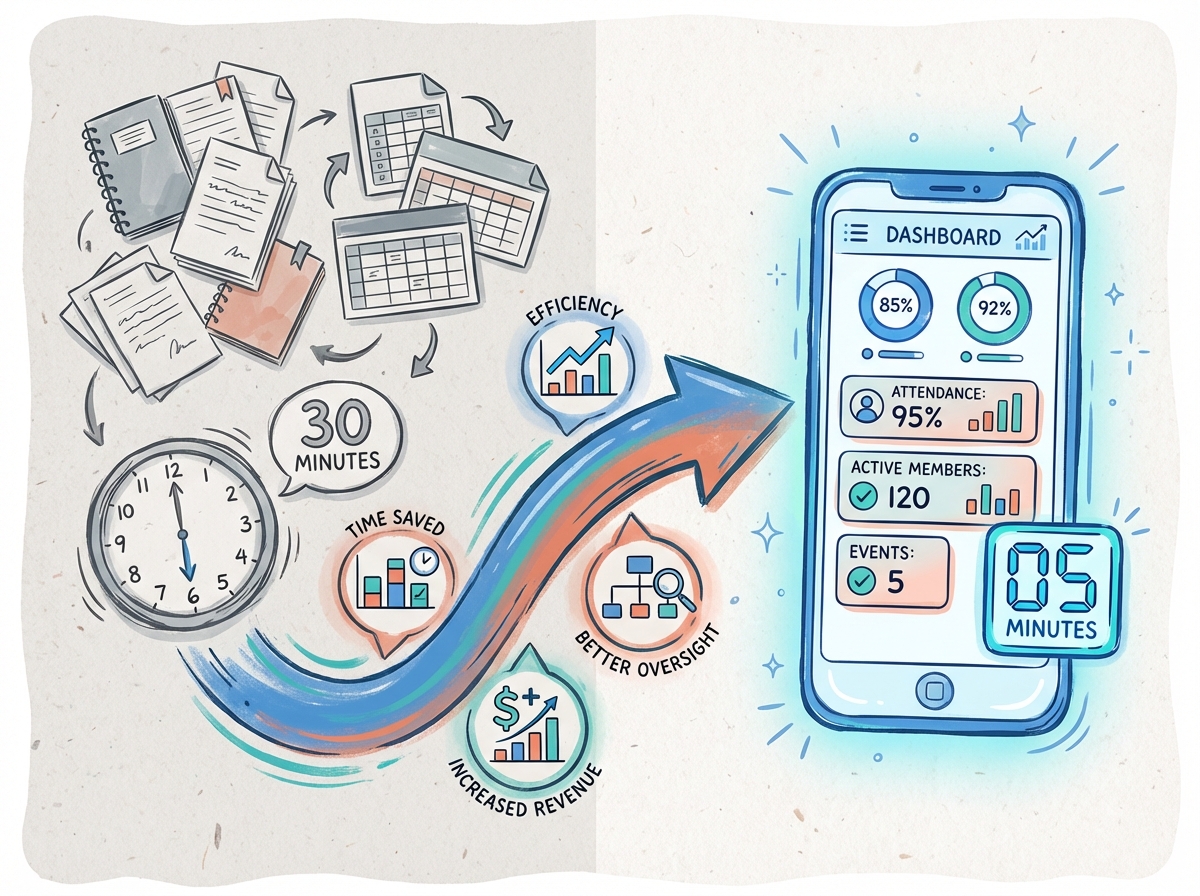
| Area | Before (Manual) | After (Web App) | Improvement |
| Match recording | 30 min (OneNote + Notion) | 5 min (phone tap + modal) | 83% reduction |
| Statistics | Year-end Excel calculations | Real-time dashboard + rankings | Instant |
| Server cost | — | Google Apps Script + Sheets | $0/month |
| Dev cost | — | ~$17/month (dev period only) | Minimal |
| File management | OneNote + Notion + Excel | 13 files in one unified app | Centralized |
Gartner predicted that "by 2025, 70% of new apps developed by enterprises will use low-code or no-code technology" (ITWorld Korea, 2023). And by 2026, non-technical users outside IT departments will make up over 80% of low-code tool users.
People like me are only going to become more common.
3 Reasons a Non-Developer Could Build This
Honestly, I was skeptical at first. The only "coding" I knew was Excel formulas. But looking back, three things made the difference.
First, the person who knows the problem best built the solution. After 15 years as treasurer, I knew exactly where the pain points were. No time wasted explaining requirements to an outside developer. "Sort names alphabetically because it gets confusing during attendance" — that was my prompt.
Second, I did not try to finish everything at once. Phase 1 was bare minimum. By Phase 5, it was a completely different app. Pragmatism, not perfectionism, was the secret.
Third, AI bridged the technical gap. I had no idea what a "Sequential Callback Chain" was. But Claude Code explained it and wrote the code. All I said was, "Sure, apply that."
Closing — You Do Not Need to Know Code to Build an App
If you run a club, a hobby group, or any community, you probably face similar headaches — dues tracking, attendance, scheduling.
What I learned in 18 years of HR: the best tools are built by the person who knows the pain firsthand. I hesitated for six months thinking, "I don't know how to code — is this even possible?"
It is. The starting point is smaller than you think.
One step at a time. It does not have to be perfect. You can fix it as you go.
FAQ
Q. Is Google Apps Script really free? Are there any limits?
A. Yes, completely free with a Google account. There are daily execution quotas (e.g., 6 minutes per execution, 90 minutes total per day for free accounts), but for a club-sized app with 30-50 users, you are unlikely to hit those limits.
Q. Can I use this approach for a different type of club?
A. Absolutely. The same Claude Code + Google Apps Script combination works for book clubs, running groups, volunteer organizations — any group with a roster and tracking needs.
Q. What happens if Claude Code generates incorrect code?
A. It happens occasionally. The key is iterative development — run the code, see what breaks, describe the issue back. About 80% works on the first attempt. The rest is fixed within one or two follow-up prompts.